Showing posts with label Final Cut Pro X. Show all posts

Friday, 30 August 2019

EDITING ON THE ROAD

This looks like an interesting series to follow - not so much the programmes being produced as the backstory to how a couple are filming and editing a series with their Mac editing setup in a trailer, and part powered by solar panels.

I'm seeing more and more often veteran editors proclaim FCPX for its clip/library management system. It's clearly rebounded from the huge tactical errors of the initial dumbed down FCPX displacement of Final Cut Pro 7, which many still clung to a decade after it was outmoded.

The story here may seem outlandish - 48TB of hard drive space! - but it isn't really. I'd estimate I've got about 40TB of HDDs myself (though I've mostly given up on the USB2 drives as just too slow).

Anyway, may be of interest to some of you

http://www.fcp.co/final-cut-pro/articles/2203-1-year-30-000-km-on-the-road-with-fcpx-part-1

Saturday, 22 June 2019

FCPX Chrome killing performance?

As the article notes, it's likely that a fix will be quickly issued buy until then it's worth being aware of this

http://www.iphonehacks.com/2019/06/google-chrome-final-cut-pro-x-slow-down-crash.html

Thursday, 17 January 2019

FINAL CUT PRO X plugins

http://www.fcp.co/final-cut-pro/articles/1976-get-final-cut-pro-x-lens-filters-plugins-for-24

This site started to come up on my google news feed - a good way of discovering sites/info you weren't aware of. I often find stories/articles this way that are very useful for some part of GCSE or A-Level Media.

Some plug-ins are free, others aren't - my expectation is that you'd access any you want yourselves, but I'm happy to take suggestions for any free plug-ins I can install on all Macs, or paid-for, that I can install on one Mac.

FINAL CUT PRO X automatic beat markers for tracks

Read the comments below and it's clear there were a few bugs with this - haven't tried it myself so don't know how reliable it is now, but at 4 bucks sounds like a handy timesaver especially for music video


Tuesday, 11 December 2018

Final Cut Pro X starter guide

BUY IT!
or...do the official Apple course!
2 UK-based courses: Soho, AcademyClass.
Here's a 2019 90 Mon, start to finish, FREE tut, not a bad deal...


There are many better guides than this online - the software is used by millions, so you won't struggle to find sites and YouTube videos dedicated to all elements of FCPX. I've tagged multiple posts on Final Cut.


........a new guide I've just done for newbies......


If you get stuck with a technique or effect, or just want to explore further possibilities, have a look at sites like...
Apple provides a very clear guide: https://help.apple.com/finalcutpro/mac/10.2/. (I've included the full link as you can see you might need to check for an updated version)
You can also get an Apple manual.
Izzy Video.
Lynda.com.
Larry Jordan.
Atomic Learning.
FCPXworks.
FCP.co.
This vodcast draws on many basics you'll need to get started, combining screen recording, screenshots, a voiceover and frequent titles. You can easily skim in YouTube view to find specific instructions, following the titles.

I made it using Quicktime's built-in screen recording, allowing a choice of fullscreen OR dragging around a smaller area (I did both, depending on the element being considered, adding fullscreen and partial screenshots too).
Here's a simple guide to screen recording with QuickTime.


...

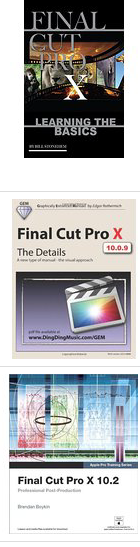
There are many books (most including downloadable content for practice editing) you can choose from - here's a UK Amazon link.

Some offer free updates as the software is updated.

There's a lot of competition for your money (and many free video courses, see links above):

...


OFFICIAL APPLE COURSES, QUALIFICATIONS etc
Apple of course provide resources on FCPX. You can take qualifications in FCPX - extremely useful (at any level) for CV, UCAS and job applications. 

If you look at Apple's main FCPX link, you'll now find some new tutorials with free downloadable content for practice editing in advanced techniques:

...
It's not hard to find video tutorials on YouTube:

...

Thursday, 15 November 2018

SOFTWARE BUNDLE Final Cut Logic Pro etc €200


I bought this with my Mac Mini - cheaper than buying FCPX by itself!!! I bought mine from the UK as resellers like Linehart don't offer this deal.


Friday, 6 April 2018

FCPX visual FX 50 demoed in 1 9min video

Kudos to the Vimeo user who created this, a great way of wrapping your head around the built-in FX with FCPX (tho they do change over time AND you can (a) tweak them substantially and (b) create your own in Motion and even (c) buy [some are free] FCPX plug-ins for yet more!)


All Final Cut Pro X Effects in under 9 minutes from Yordi Capó on Vimeo.
...

Friday, 5 January 2018

GREENSCREEN layers in moving shots using MOTION

Motion is companion software for FCPX, and enables you to customise/build titles and other elements which you can then access as menu options in FCPX.

An especially useful tool is the ability to get the software to analyse movement of objects within a frame and to make greenscreened/keyed layers match that movement - for example, a phone or TV screen.

The Motion interface can be daunting if you haven't used anything like it before, but as ever there are lots of great free (and paid-for options) guides online, such as this...


...

Wednesday, 15 November 2017

MUSIC VIDEO getting set up in Final Cut

Steps for editing sample scene:
  1. FILE>NEW>LIBRARY (eg Jasper Smiths, and rename the EVENT that defaults to the date as name).
  2. CMD+N for new project file (eg Jasper Smiths sample1).
  3. If you've backed up/shared any footage on the Media drive, copy to the Movies folder and import to FCPX from there - DON'T directly import from the Media drive.
  4. You should save footage in specific folders - drag these from Finder to the event and let go; they'll import AND add keys (tags) which means you can narrow down the clips you're through to ones just from it. You might get a message saying 'can't import [these files] - click CONTINUE; the video files will import.
  5. You need your track audio: rip the video and import it (move from Downloads to Movies before importing) http://mediatechtips.blogspot.lu/search/label/rip.
  6. Select in FCPX, W to add to timeline.
  7. Right-click: detach audio.
  8. EDIT>INSERT PLACEHOLDER, with the playhead at the very start so this now goes first.    Move the audio layer so its connected to the placeholder.
  9. Delete the video layer.
  10. You're ready to go....

Remember, for sharing or backup, your footage, event/s, project file/s - ALL go into the Library. If you want to backup your work its the LIBRARY you need to copy (usually therefore a large file - which is why a portable hard drive is so helpful to own).

Wednesday, 11 January 2017

Motion - titles and SFX software to supplement Final Cut

Motion has been installed on the Macs this week, so here's some quick links if you want to try it out, or just get a sense of what it can do:
Google: apple motion 5.3 guide (the current version, released Oct 2016)
 Apple's web page provides a useful initial overview of what it is:


FCPX: layering within a body

So long as you have a reasonably plain colour background you can achieve an advanced layering technique. The thought came to mind watching the original video for Sophie/Bronwen/Kristian's change of track, Bullet For My Valentine's Throne, as illustrated in the screenshot below:
Adel used this technique in her 2017 video;

It was easy to find both official Apple and user guides for this with a clear search phrase, something you should bear in mind whenever you see any FX you think you'd like to use. FCPX has its limitations, but it is still a very powerful tool.
I'll do a guide myself if I get time, but if you can ignore the 1D soundtrack, this kid did a decent job at explaining the process:

Tuesday, 8 November 2016

iMovie to Final Cut

You can move basic iMovie editing projects over to Final Cut:

Its really not hard to find such answers these days!
From Apple Help.

Monday, 17 October 2016

Vodcasting - FCPX tips for faster editing

Some simple tips from my own experience vodcasting which will hopefully save you time. Do pass on any further insights and I'll add details.

...

Saturday, 23 April 2016

FCPX freebies, guides and add-ins

The NoFilmSchool site announced an Apple offer: new downloadable content for learning advanced editing techniques. Go to the PremiumBeat link to find out more.


...

Tuesday, 8 December 2015

PREMIERE ELEMENTS 14: Green Screen

You're much better off using a Mac but if you are using a PC and this software, then its not so difficult to apply the green screen effect...
I've embedded a how-to video below; for most things you want to do, you will be able to find how-to videos or web pages. This video has 56 seconds of initial waffle (advice on how to use a green screen, not waffle if you haven't used it yet!); go straight to 0:56 here.

You can also find a guide I did on green screening in Final Cut Pro X here.


VIDEO OPTIONS FOR GREEN SCREEN BACKGROUNDS

the following have pre-programmed a range of green screened (perfectly ironed/flattened/lit!) Xmas-themed backgrounds, or elements that can be added: snow, Xmas trees, Flash-style Santas...
Thanks to Paulina for suggesting these resources.

This user has several, such as...


There are others, such as 'Birmingham Vlogger':


And PixelBoom...


You can always search for more

Friday, 9 October 2015

FCPX plug-ins

Budget limitations may mean you'll have to pay for it yourself, but do be aware there are many great plug-ins out there for Final Cut Pro X (and most major video editing suites).

We looked recently at a very specific example, as students looked to emulate aspects of some depeche Mode videos they particularly admired:
FINAL CUT PRO X CAMERA EMULATOR PLUGINAs raised when looking at these, you can emulate super-8 and 16mm (etc) cameras by purchasing FCPX plugins (this one is $50 - you may need to buy it yourself and carry edited clips from your own Mac to a school one).
[copied across from a post on Depeche Mode and the French New Wave style]

Wednesday, 8 July 2015

Final Cut: How to reverse or flip by 180 degrees

There is a straightforward reverse tool in FCPX that enables you to play a clip backwards. Flipping the clip 180 degrees is something different - if a character is looking left, flipping it means they're now looking right.

This is a great option for music video in particular. It can be used to effectively create additional shot variety. It can also be used for comic (or simply wow factor) effect when using more than one layer of a character or action.

I'll link to a student post when it becomes available, as this tool has been used to great effect for one of the videos from the 2015 Music Video Day (Christina Aguilera's Candyman), the viral-style green-screened video we previously would have shot on Creative Arts Evening.

Here's where I found the really simple (but ingenious!) instructions on how to do so - as the site seems to be partially blocked by the web filter, I'll include a screenshot below, but it is worth checking out the page, and maybe looking for other tips on this site.

Sunday, 17 May 2015

Final Cut Library Manager

Cheap...

...and time-saving