 There are lots of freeware programmes that allow for immediate editing, especially annotating, of screenshots - which you can also achieve in Photoshop (or even Word: just screenshot it again!).
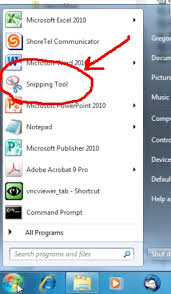
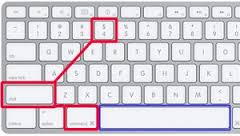 Windows has SNIPPING TOOL, Mac has Grab or more usefully (its really the same thing), the keyboard shortcut CMD + SHIFT + 4 (there are more options: see this guide).
Mac screenshots are auto-saved to the Desktop: Finder is the Mac equivalent of My Computer on a PC.

